Tesla Sentry Mode gives drivers a useful way to monitor activity around their vehicle and save video footage when events are detected. But Sentry Mode and Tesla Dashcam storage depend on more than just plugging in any USB drive. The storage device needs enough capacity, reliable sustained write performance, and the right setup for repeated video recording.
For light use, the factory-included storage may be enough. Drivers who use Sentry Mode often, park in busy areas, or want to keep more saved footage may benefit from a Tesla Sentry Mode storage upgrade. In many cases, the best options are a high-endurance microSD card with a quality USB adapter or an external SSD for Tesla Sentry Mode.
Before choosing a microSD card for Tesla Sentry Mode, a Tesla Sentry Mode USB drive, or a portable SSD for Tesla, it helps to understand how the vehicle records video and why standard thumb drives may not be ideal for regular use.
Why Tesla Sentry Mode Needs Reliable Storage
Sentry Mode and Dashcam recording place repeated write demands on the connected storage device. The drive does not simply store occasional files. It records, saves, overwrites, and reads video footage over time.
That constant activity makes Tesla Sentry Mode storage different from basic file storage. A good setup should be properly formatted, compatible with the vehicle, and capable of handling consistent video recording without frequent interruptions.
Tesla USB Drive Requirements for Sentry Mode and Dashcam
Before upgrading Tesla Dashcam USB storage, start with Tesla’s baseline requirements for recording video. These requirements apply whether you use a microSD card with USB adapter, an external portable SSD, or another compatible USB storage device.
- Minimum capacity: Tesla requires a USB storage device with at least 64GB of storage capacity.
- Sustained write speed: Tesla requires a sustained write speed of at least 4 MB/s. Sustained write speed is different from peak write speed.
- USB compatibility: The storage device must be USB 2.0 compatible. If using a USB 3.0 device, it must also support USB 2.0.
- Proper formatting: The storage device must be properly formatted either automatically through the vehicle or manually before use.
These are the minimum requirements. For regular Sentry Mode use, higher-capacity storage such as 128GB, 256GB, 512GB, or 1TB can be more practical because video footage can use a large amount of space.
For Tesla’s official storage guidance, review the Tesla USB drive requirements for recording videos.
Why Upgrade Tesla Sentry Mode Storage?
A Tesla Sentry Mode storage upgrade can make daily recording easier and more reliable, especially for drivers who leave Sentry Mode enabled often.
- More recording space: Larger capacity storage can help retain more footage before older clips are removed or overwritten.
- Better long-term use: Video recording creates repeated write activity, so storage quality matters.
- Cleaner organization: A dedicated storage device keeps Sentry Mode and Dashcam footage separate from personal files.
- Fewer storage interruptions: Reliable storage can help reduce issues caused by inconsistent or low-quality drives.
- Easier footage access: Removable storage makes it easier to review saved footage on another device when needed.
What to Look for in Tesla Sentry Mode Storage
Capacity matters, but it should not be the only factor. The best Tesla Sentry Mode storage setup should also support reliable write performance, endurance, durability, compatibility, and proper formatting.
1. Capacity
A larger storage device can save more video footage. While 64GB meets Tesla’s minimum requirement, many drivers prefer 128GB, 256GB, 512GB, or larger depending on how much footage they want to retain.
2. Sustained Write Performance
Video recording requires consistent write performance. Peak speed numbers may look impressive, but sustained write speed matters more for applications that record footage repeatedly over time.
3. Endurance
Sentry Mode and Dashcam recording create frequent write cycles. For that reason, a high-endurance microSD card or external portable SSD usually makes more sense than a basic USB thumb drive for Tesla Sentry Mode.
4. Durability
Vehicle environments can expose storage devices to heat, cold, vibration, and daily handling. Storage used for automotive recording should be durable enough to remain connected inside the vehicle for long periods.
5. USB Adapter Quality
If you use a microSD card for Tesla Sentry Mode, the card needs a USB reader or adapter. A strong card can still run into issues if the adapter is loose, inconsistent, or low quality. Choose a dependable microSD card with USB adapter setup for stable recording.
6. Proper Formatting
Tesla vehicles require the storage device to be properly formatted before Dashcam and Sentry Mode can use it. Depending on the vehicle, users may be able to format the drive directly through the vehicle settings or manually format it before use.
microSD Card + Adapter, USB Thumb Drive, or External SSD?
Tesla storage setups can vary, but for regular Sentry Mode use, two options stand out: a high-endurance microSD card with a quality USB adapter or an external SSD for Tesla Sentry Mode. Standard USB thumb drives may work for light use, but they are not always designed for constant video recording.
| Storage Option | Best For | Recommendation |
|---|---|---|
| High-Endurance microSD Card + USB Adapter | Compact daily recording setup | Recommended for most users when paired with a reliable adapter |
| External Portable SSD | Higher-capacity Tesla Sentry Mode storage | Recommended for frequent users who want more room for saved footage |
| Standard USB Thumb Drive | Light or occasional use | Not ideal for heavy Sentry Mode use because repeated writes can wear out lower-quality drives faster |
Best Compact Option: High-Endurance microSD Card + USB Adapter
A high-endurance microSD card with a reliable USB adapter gives Tesla owners a compact and removable storage setup. It is easy to remove, easy to review on another device, and practical for daily Sentry Mode and Dashcam use.
For regular recording, choose a card designed for consistent write activity instead of relying only on advertised peak speeds. The adapter matters too. A dependable USB adapter helps the microSD card maintain a stable connection and reduces the chance of recording issues.
Drivers looking for compact removable media can explore microSD storage options from AMP.
Why Standard USB Thumb Drives Are Not Ideal
A USB thumb drive may seem like the easiest option because it plugs directly into the vehicle. However, many standard consumer thumb drives are not built for constant video recording. Sentry Mode and Dashcam use can create repeated write cycles over time, which may cause lower-quality flash drives to wear out faster or become less reliable.
For occasional use, a USB thumb drive for Tesla Sentry Mode may be acceptable if it meets Tesla’s requirements. For regular recording, a high-endurance microSD card with a quality USB adapter or an external portable SSD is usually the stronger choice.
Best Higher-Capacity Option: External Portable SSD
An external portable SSD may be the better fit for drivers who use Sentry Mode often and want more capacity. A Tesla Sentry Mode SSD can provide more room for saved footage and is generally better suited for heavier storage workloads than a basic thumb drive.
Drivers should still confirm that the SSD meets Tesla’s compatibility and formatting requirements. The drive should be properly formatted, securely connected, and suitable for use in a vehicle environment.
For applications that need larger storage capacity, view AMP’s solid state drive storage options.
Which Tesla Sentry Mode Storage Option Is Best?
For most Tesla Sentry Mode users, the best storage choice is either a high-endurance microSD card with a quality USB adapter or an external portable SSD. Both options support regular video recording better than many standard USB thumb drives.
- Best compact option: A high-endurance microSD card with a reliable USB adapter keeps the setup small, removable, and practical for daily Sentry Mode and Dashcam use.
- Best higher-capacity option: An external portable SSD gives frequent users more room for saved footage.
- Use caution with thumb drives: Standard USB flash drives may work for light use, but many are not designed for constant recording and repeated write activity.
- Most important factor: Choose storage with reliable sustained write performance, enough capacity, proper formatting, and vehicle compatibility.
If you use Sentry Mode regularly, a microSD card and adapter setup or a portable SSD for Tesla is usually a better long-term choice than a basic thumb drive.
Where AMP Storage Fits
AMP Inc. provides memory and storage products for customers who need dependable sourcing, long-term product support, and storage options for real-world applications. For vehicle recording use cases such as Tesla Sentry Mode storage, reliability, capacity, endurance, and consistent performance matter.
AMP offers microSD storage products, solid state drives, and embedded storage products for commercial, industrial, and specialty applications.
Explore microSD Storage Options
For compact removable storage applications, AMP offers microSD options that can support a range of capacity, endurance, and sourcing requirements.
-
AMP 1TB Premium microSDXC Card
Flash Memory Original price was: $182.00.$164.71Current price is: $164.71. Add to Cart -
AMPOLMS064G3S-00WS2YI-3P 64GB 3.0 microSDXC Card
Flash Memory Original price was: $110.00.$96.50Current price is: $96.50. Add to Cart -
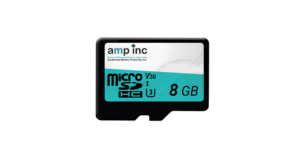
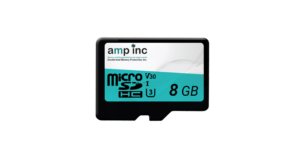
AMP 8GB Premium microSD Card Industrial Temp.
Flash Memory Original price was: $15.00.$13.00Current price is: $13.00. Add to Cart -
AMP Premium microSD Card Commercial Temp.
Flash Memory Price range: $14.71 through $42.68 Select options This product has multiple variants. The options may be chosen on the product page
Final Thoughts
Tesla Sentry Mode storage works best when the device can handle repeated video recording, not just basic file storage. A larger and more reliable setup can help drivers retain more footage, reduce storage limitations, and support consistent recording performance.
For regular Sentry Mode use, a high-endurance microSD card with a quality USB adapter or an external portable SSD is usually the better choice. These options are better suited for repeated video recording than many standard USB thumb drives.
Note: Tesla and Sentry Mode are trademarks of Tesla, Inc. AMP Inc. is not affiliated with or endorsed by Tesla. Always follow your vehicle owner’s manual when selecting and formatting storage devices.
FAQS About Tesla Sentry Mode
Tesla requires at least 64GB of storage for video recording. Many drivers prefer 128GB, 256GB, 512GB, or larger so they can retain more saved footage.
Yes. A microSD card for Tesla Sentry Mode can work when paired with a compatible USB reader. For regular use, a high-endurance microSD card and quality adapter are usually better than a basic thumb drive because they are better suited for repeated video recording.
An external SSD for Tesla Sentry Mode may be better for drivers who want larger capacity and consistent performance, especially if they use Sentry Mode often or want to save more footage over time.
USB thumb drives may work for light or occasional use, but many standard thumb drives are not the best choice for regular Tesla Dashcam storage. Constant write activity can wear out lower-quality drives faster.
Yes. The storage device must be properly formatted before Tesla Dashcam and Sentry Mode recording can use it. Many Tesla vehicles can format the USB drive directly through the vehicle settings.